
Arcserve Tape Backup Software
Magnetic tape storage has been a feature of data centers since the early days of computing. Reel-to-reel tapes have evolved into high-capacity, highly durable cartridges, which still hold a place in more than half of today’s hybrid data centers.
However, while tape backups tend to be cost-effective and reliable, the growth of data over time can increase the total cost of ownership (TCO), turning tape storage from a low-cost to an expensive backup target.

We perform tape backups differently, using unique Arcserve technologies that improve data protection conditions by:



Proven Tape Backup Software for Over Two Decades
Now you can:
How it works
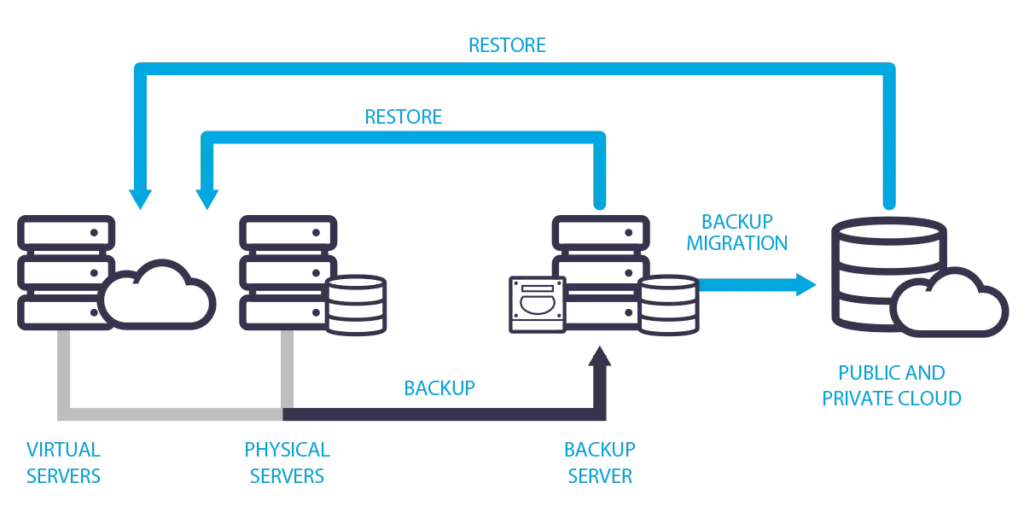
Arcserve Backup is a comprehensive backup management solution for distributed and multiplatform environments. It performs backups and restores from every system in your network, including Windows, UNIX, and Linux. It offers full control through a centralized management console, whether for small or large enterprises, across different platforms and organizations.
Management from a Central Location
With Arcserve solutions, you create, manage, and monitor backups from a central location. Jobs are submitted to a primary server and executed either locally or remotely on any of the associated servers. You perform backups, restores, merges, scans, migrations, copies, comparisons, and more for all servers from the primary server. You oversee the status of all jobs from the central console on the primary server.
Automatic Catalog Creation
Easy management of a central database, with all jobs, sessions, and information stored in the central repository. A central catalog file is created containing descriptive information for each session, allowing the selection of specific files and folders for restoration without needing to query the database. When restoring data, Arcserve Backup quickly navigates the contents of each session in the catalog file from a single central location, locating the information for efficient data item management.
Centralized, Scheduled Report Generation
With centralized reporting, you can create and set up scheduled reports for all servers from the primary main server. Schedule, preview, print, or email reports for all the servers in your infrastructure directly from the primary server.